Organize Client Brand Voice Docs in Folders for AI Reference: A Folder-First System
Organize client brand voice docs in folders for AI reference with a folder-first method, the five layers to include, and a client-proven way to scale content.

On this page
- The Fast Way to Set Up a Reusable Brand Voice Folder
- Why AI Content Fails Without a Brand Voice Folder
- What Goes Inside a Brand Voice Folder: The Five Layers
- Step 1: Build the Folder Before Any Project Starts
- Step 2: Organize Voice Docs Specifically for AI Retrieval
- Step 3: Extend the Folder With Page-Level Templates
- Step 4: Put the Folder to Work and Review Before Shipping
- Keeping Voice Consistent as the Folder Grows
- Turn Your Brand Folder Into a Content System
- Frequently Asked Questions
When you organize client brand voice docs in folders for AI reference, every tool you run pulls from one source of truth instead of a single user prompt. Without that folder, each new AI session starts from scratch, grounds itself on generic web data (mostly your competitors’ content), and drifts off-voice by the second draft. A brand voice guide for AI only works if the model can find it, read it, and reuse it every time.
This page is for agencies and operators running AI content for multiple clients. You get a folder-first method, the five layers that go inside, and an example of how the setup scales across accounts. We build this folder at Marcus-Aurelius Digital before any project starts, and every AI output we produce is grounded in it.
The Fast Way to Set Up a Reusable Brand Voice Folder
Organizing client voice docs for AI means one folder per client, written as short modular files an AI tool can retrieve, and loaded first in every session. Every job then starts from the same source of truth instead of a single user prompt you have to paste every session.
If you want a ready-made starting point, the brand context folder approach gives you the structure to copy.
What you’ll need
Three things, and you probably have all of them already. Get them in place before you write a single file.
| Item | Why it matters |
|---|---|
| A doc or markdown editor | Plain files stay easy to edit, split, and reuse across tools |
| An AI harness that accepts a folder or knowledge base (e.g., Antigravity IDE) | It reads the folder on every job, so nobody re-pastes guidelines |
| The client’s best and worst existing content | Real samples show the AI what to copy and what to avoid |
The messy internal material (call transcripts, old emails, rejected drafts) is often the most useful of the three. A model fed real client material produces drafts you can edit. A blank prompt leaves it filling gaps with training defaults.
The folder-first method in brief
The method runs in five steps, in this order:
- Build the folder before any project starts.
- Layer in positioning, voice, visual tokens, proof, and rules.
- Organize the docs for AI retrieval.
- Extend the folder with page-level templates, such as a brand voice template for each content type.
- Put the folder to work and review the output before shipping.
Each step gets its own section below. The one habit to build now is that the folder gets loaded first, every session, and the process stays the same whichever client or tool you pick up next.
Why AI Content Fails Without a Brand Voice Folder
The reason AI content sounds generic is the process, and the model has little to do with it. AI is stateless by default, so a session with no persistent brand context starts blank, searches what already exists from training data, and settles on average web writing. Most teams re-brief the tool every time (colors, voice, services, pricing), and the output reflects a brief written in five minutes. Swapping in a better model changes very little. The context is the bottleneck.
Then comes the drift. When the brand lives in people’s heads or scattered docs, every new generation starts from zero, and the brand voice shifts a little each time. Pricing gets rounded differently, the services list changes shape, and even case studies get phrased another way. A common pattern is that nobody notices until the blog, the newsletter, and the LinkedIn posts read like three different companies.
A folder acting as the source of truth fixes this at the root. Voice rules, services, pricing and stories sit in one place that travels with every session, so each channel draws on the same facts and the same phrasing. That is what makes AI content consistency repeatable instead of lucky, and it is why the build comes before the first draft. If you want a ready-made starting point, start with how to use Claude for branding.
What Goes Inside a Brand Voice Folder: The Five Layers
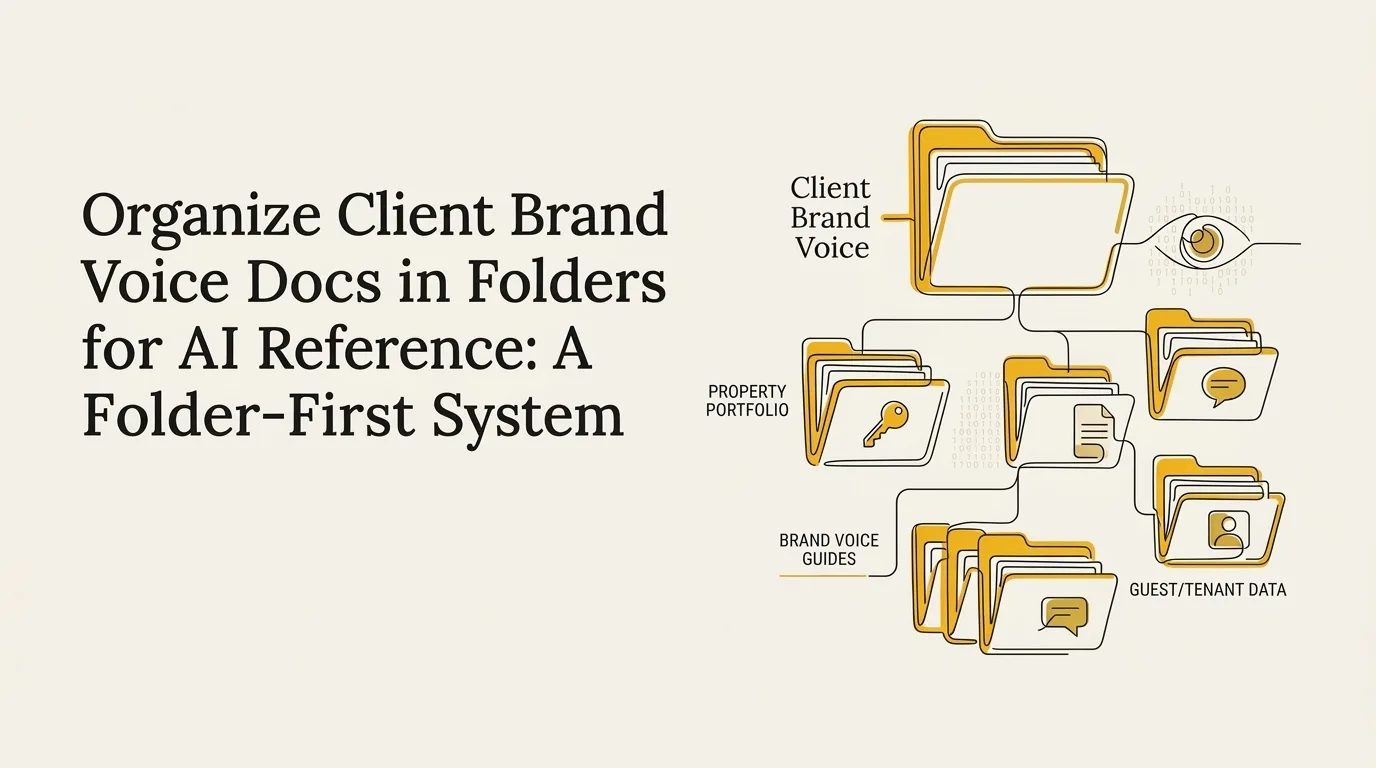
A brand voice folder (or what we call the brand context folder) holds five layers: positioning, voice and tone, audience, visual tokens, and proof and rules. Each layer is a short file or set of files, and each one blocks a specific kind of generic AI output. The matrix below shows what to write in each and what it protects you from.
The brand context folder works best when every layer is written from material you already have: sent emails, live landing pages, case studies, and client notes.
| Layer | What to write in it | AI-output failure it prevents |
|---|---|---|
| Positioning | Brand name, offer, category, promises, and what makes you different | Copy that drifts off-story from one asset to the next |
| Voice and tone | Observable rules (uses contractions, opens with the answer, parentheses for asides), sample lines at formal, casual and sales registers | Generic, interchangeable copy that could belong to any brand |
| Audience / ICP | A concrete ideal customer profile: who you serve, their role, their problem, and who falls outside it | Copy aimed at everyone, which lands with no one |
| Visual tokens | Hex colors, fonts, sizes, weights, spacing, and when each color gets used | Layouts that ignore the brand kit |
| Proof and rules | Sourced case studies, approved claims, must-use terms, banned terms, and evidence standards | Invented claims and off-brand wording |
Write voice and tone rules as behaviors a reader could check in a draft. Tone descriptors like warm or direct give the model nothing to measure, while a rule such as short paragraphs, answer first, no em dashes gives it a pass/fail test. Pair each rule with a real sentence pulled from your own writing.
For the ICP, name a specific buyer and the situation they are in when they find you. Keep usage rules next to the visual values, and keep banned terms in the proof-and-rules file so the lexicon travels with the facts. If you want the full checklist for each file, the bespoke brand folder approach goes deeper on structure.
Step 1: Build the Folder Before Any Project Starts
The brand folder is the first thing we build for any new client, before strategy, before content, before anything else. It is the number-one onboarding priority because every AI agent we build later pulls its context from it. We spend more time getting this folder right than on any other early task, and we apply the same rule to existing clients too.
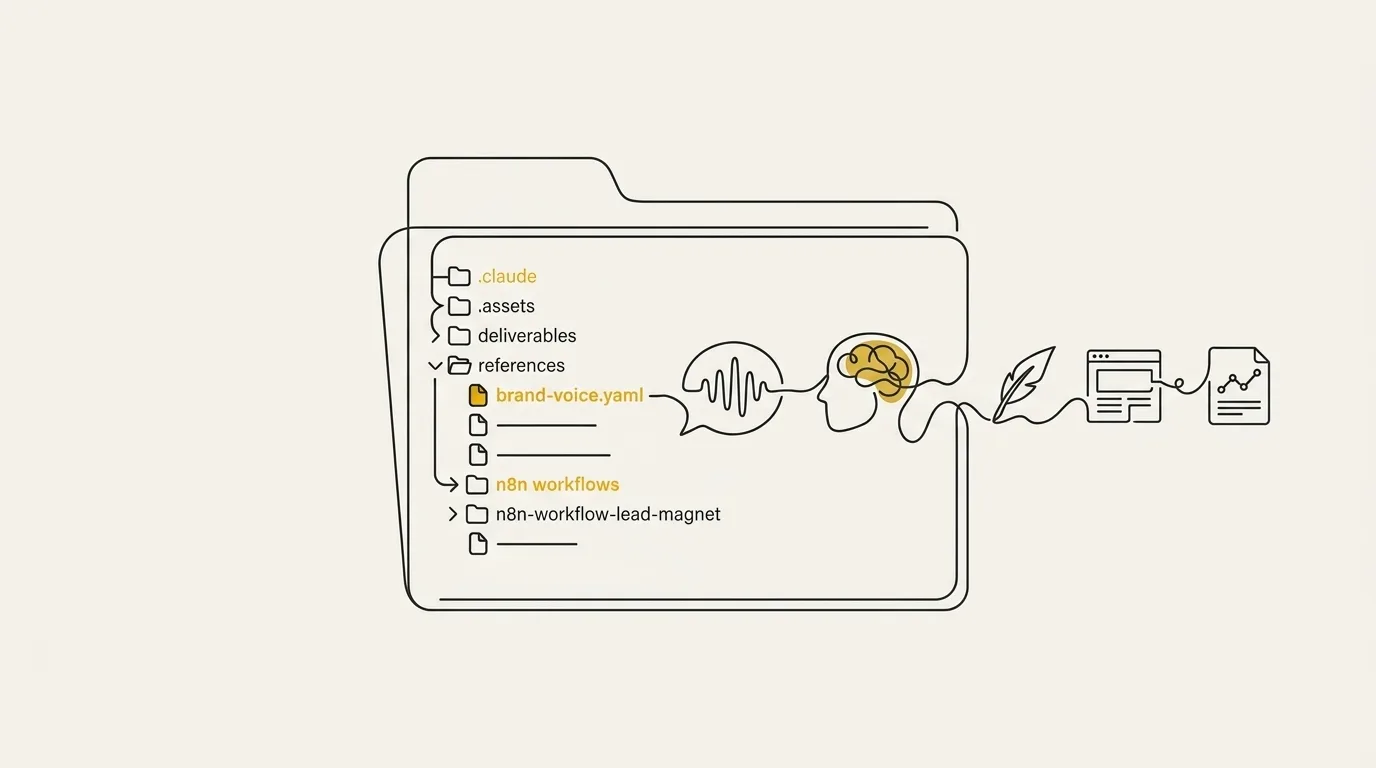
To stand one up, create a dedicated folder for the client on disk and open it as a project in Claude Code (or any IDE that treats files like code). Name it something obvious and drop in empty markdown files you will fill next. Then pull the raw material: the client’s best and worst recent content, any existing brand docs (even outdated ones), and customer quotes that show how buyers describe the product. Keep one folder per client so each system starts from that client’s own voice. For the mechanics of arranging folders when you run many clients at once, see the guide on how to structure brand folders for multiple clients.
Step 2: Organize Voice Docs Specifically for AI Retrieval
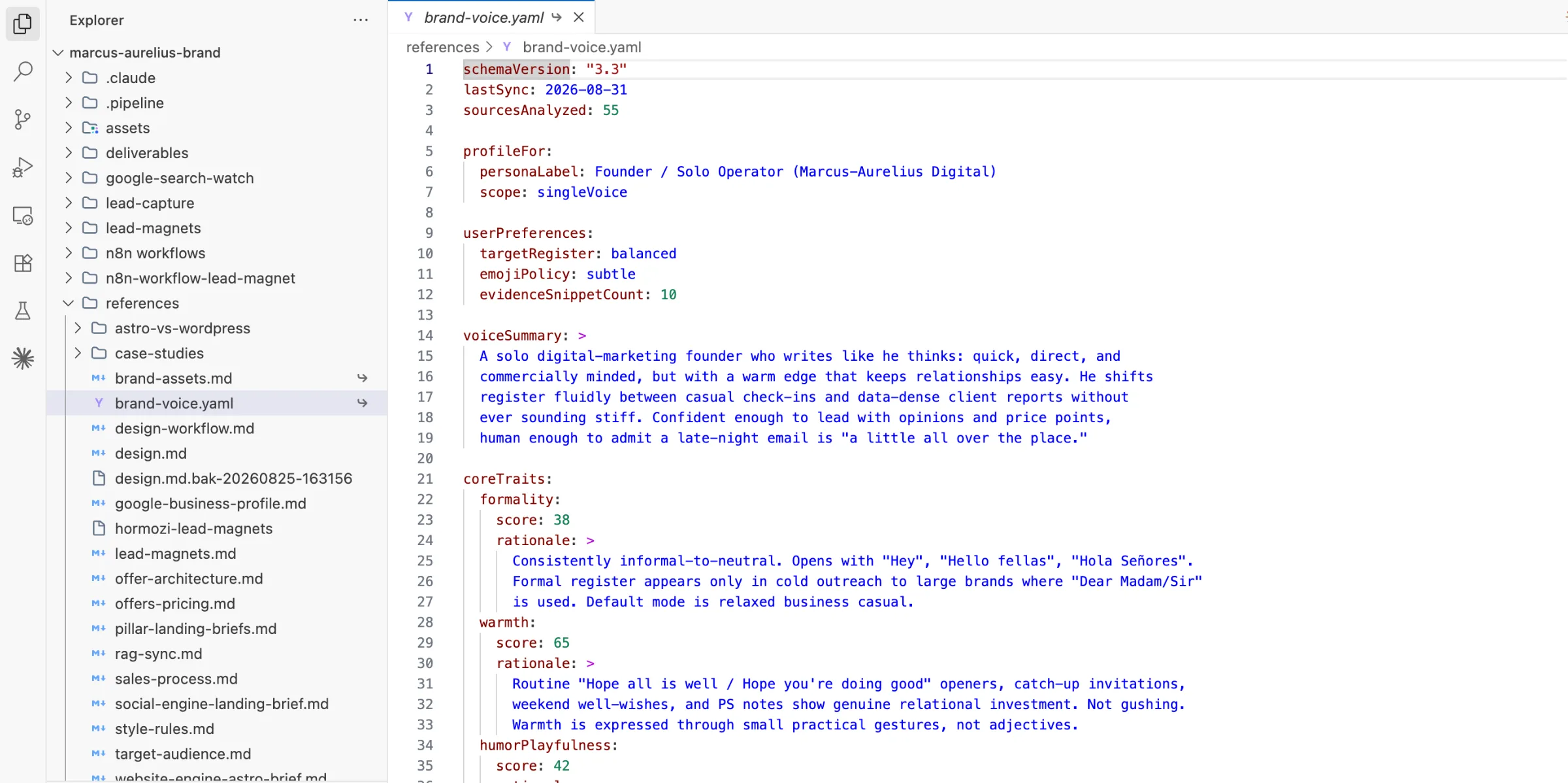
Retrieval works best when each file answers one question and each section inside it stands alone. Structure and storage decide whether the model finds the right rule at generation time or skims past it.
Format files as modular Markdown
Split the folder into short files by job: voice, visual identity, positioning and ICP, and messaging. Each file gets clear headers and tight lists, so a model pulls one section cleanly without dragging a whole document along. A 40-page brand PDF fails here, because the one rule you need sits somewhere in the middle of it.
Keep every rule self-contained and put its example right beside it. A heading-case rule, a banned-word list and a sample paragraph each live under their own header, so AI retrieval grabs exactly what the task needs. Think of it as context engineering: you decide what sits in the model’s window, and in what shape.
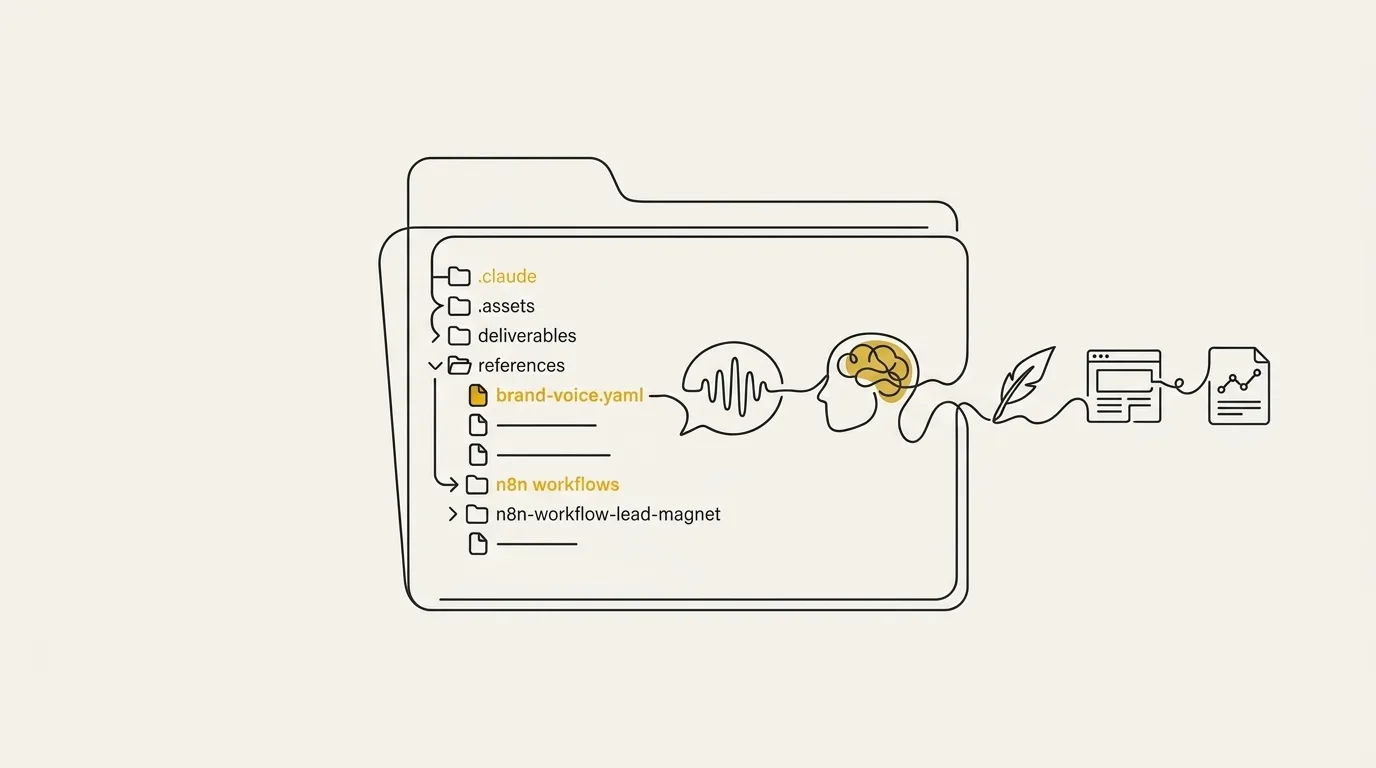
Markdown also travels well. Paste the files in as a system prompt, load them as project knowledge, or point Claude Code at the directory. For automation, you can have Claude compile the folder into one standalone Markdown file and drop it into an n8n agent through a Google Doc connector, so every channel pulls from the same brand material.
Name and version each file
Keep one canonical copy of each file in a shared location, and name it for what it holds, with a version marker (voice-v3.md, for example). Stale duplicates are what quietly wreck consistency: someone pastes last quarter’s tone rules into a chat, and the old style comes back.
Retire old versions to an archive subfolder the moment a new one lands. Then point the AI at the folder at the start of every session and save the project, so the next job reuses the current files without anyone re-attaching anything.
Step 3: Extend the Folder With Page-Level Templates
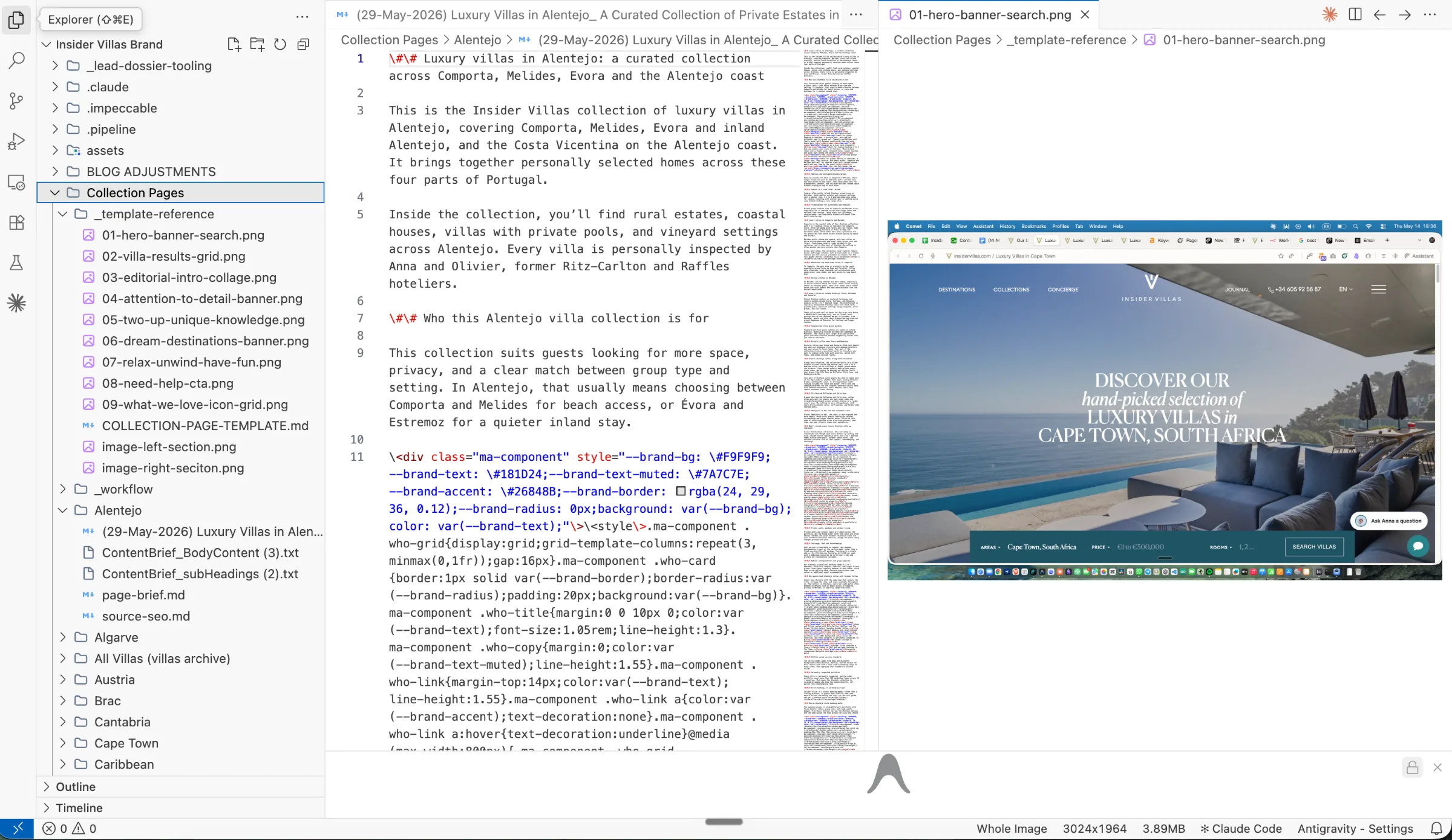
For a luxury villa client with 20 to 30 destination collection pages, we extended the brand folder with a subfolder of section-by-section templates. The client’s WordPress site has strict section structures that can’t change without touching code, so the templates mirror each section exactly. The AI maps SEO content to every section and returns pages already shaped to fit, so the voice reference becomes a set of slots it fills one page at a time.
Planning ran through the same folder, extended with three MCP connections: Firecrawl scraped hundreds of destination pages and villa listings, Apify pulled audience signals from Reddit, and Ahrefs supplied keyword volume and intent. Because every source fed one session that already held the folder, the plan reflected the real inventory, and the same process repeated across every destination page. That is what brand voice at scale looks like in practice: one folder, one template set, and a workflow you feed content into. We proved that a brand folder can scale content across dozens of pages with no code changes.
Step 4: Put the Folder to Work and Review Before Shipping
The brand context folder now serves as persistent context at the start of every session, so the blog post, the newsletter, and the LinkedIn draft all pull from the same positioning, voice rules, and proof points. That shared source is what keeps content consistent across channels. Keep the context tight, name each output so you can find it later, and clear bloated chats before they start to sag. Then add a forced audit step to the prompt itself: ask the model to check its draft against the brief before you read it.
Then interrogate what comes back. We drafted newsletter copy with a model that already held our full business context, and it still made a real mistake. One question (why this approach over the other one?) made it find its own error. Make the review a hard gate: check voice match against the folder, and fact-check every claim manually before anything public ships. Titles, meta descriptions, schema, and alt text all count here, and schema deserves the closest look, since a wrong price, rating or date is invisible to an editor reading the rendered page. Send the draft back for a critique-and-fix loop that scores it against the brief, correct, repeat. The first prompt gets you a draft, and your own eyes are the last step in the process.
Keeping Voice Consistent as the Folder Grows
A folder that works on day one can drift by month three, and the fix is a schedule. Brand voice at scale holds when you audit live output on a calendar and refresh the folder whenever the client’s positioning moves. Both habits take minutes, and they catch the two failure modes that show up most: output going generic and context going stale.
Run blind voice audits on a schedule
A blind audit means pulling a handful of live pieces (a recent post, an email, a landing page section) and judging them against the voice file with no memory of which tool or session produced them. Put it on the calendar, monthly for active clients, and do it before the audience notices that something sounds off. Drift is gradual, so a single draft rarely shows it, but a batch of five side by side does.
Each audit doubles as a data source. Keep a running list of the AI phrasing you fix by hand, and once a phrase has shown up in three or four pieces, move it into the banned-word file. So the list grows from real output instead of guesses, and the next session starts with those fixes already loaded.
Keep the folder current as clients change
A stale folder is worse than a thin one, because it feeds every session confident context that no longer matches the client. Review each folder whenever positioning, audience or messaging changes, then update the affected files (positioning, voice, proof) and point the tool at the folder again. In my experience, a client’s new offer or a retired claim is the usual trigger, so ask about both on every catch-up call.
Templates need the same care. They are a useful starting structure, but leaning on them without refreshing or personalizing them makes replies sound like a vending machine. Keep the tone notes in the voice file specific to the client, and revisit the example passages so the voice stays consistent as the work piles up. Documentation that nobody updates turns into a graveyard, and the folder is no exception.
Turn Your Brand Folder Into a Content System
A per-client folder, organized for retrieval and extended into page-level templates, is what turns scattered AI output into a repeatable content system. Every blog post, newsletter and landing page pulls from the same positioning, voice rules and proof, so quality holds as volume grows.
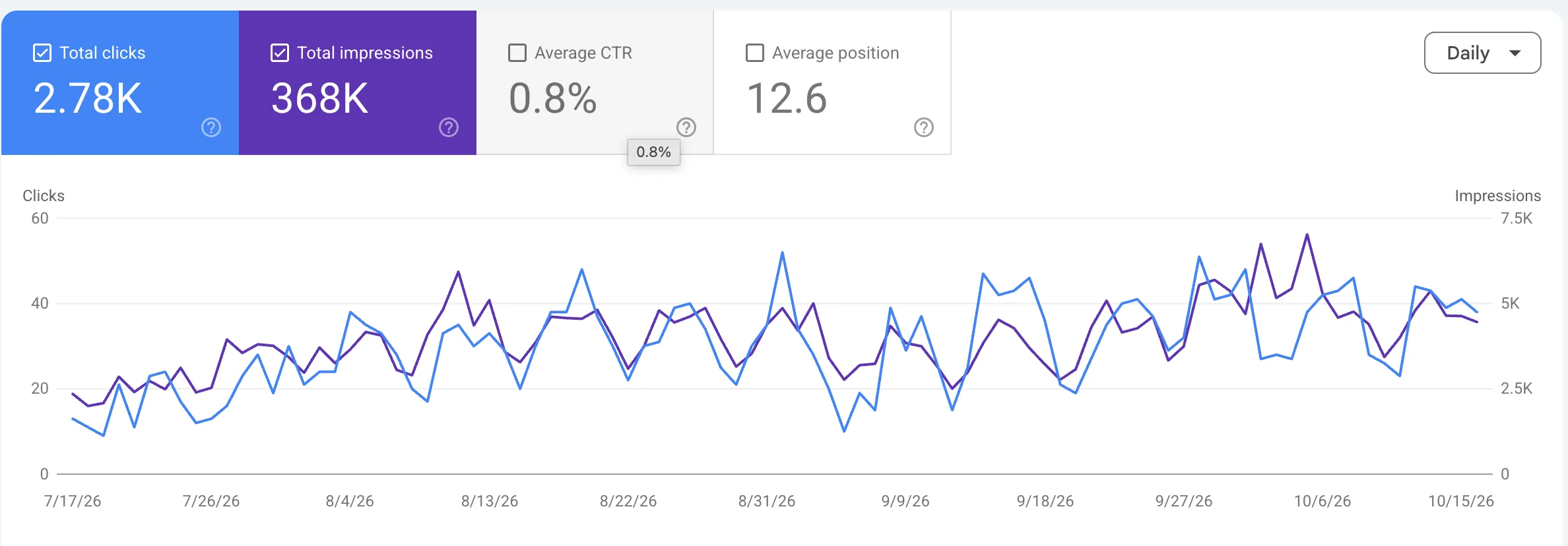
That is the work we do at Marcus-Aurelius Digital: AI-orchestrated organic content at scale, grounded in each client’s own folder. On one finance client, a restructure built on that kind of groundwork took organic clicks from 1,740 to 2,450 (+41%), comparing the previous 3 months with 30 June to 30 September 2026, and that project is still running.
If you’d like a folder like this set up for your clients or your own brand, get in touch and we can jump on a quick sales call.
Frequently Asked Questions
How long does it take to set up a brand voice folder?
A first pass takes one sitting. Dump positioning, voice, visual tokens, proof and banned terms into the folder, then point the AI at it. You tighten those files as real jobs come back, and every new asset after that reuses the same context.
Should I keep a separate folder for each client?
Yes, keep one canonical folder per client. Each client’s brand voice, audience and proof points then live in a single place, so nothing from one account bleeds into another and every session loads the right rules.
Can AI build brand guidelines for a whole team?
Yes. The AI can compile your folder into a draft of brand guidelines that pulls positioning, color, type, identity rules and tone into one document. Your team then edits and approves it before it circulates. Markdown, HTML or JSON all work when you hand the pack to designers.
Do I need special software to store a brand voice folder?
No special software is required. Any tool that accepts a folder, a system prompt or a knowledge base works. You can run the same folder in Claude Code, where the files live on disk and reload every session, or attach the files at the start of a chat.
How often should I update a client’s brand voice folder?
Review it quarterly, and again whenever the brand changes in a significant way, such as new positioning, a new offer or a refreshed look. That rhythm keeps the content you produce consistent with where the client is today, so the folder stays the source of truth.