What to Include in a Brand Context Folder: The 5 Files That Stop Generic AI Output
What to include in a brand context folder: the five files (positioning, voice, visual, proof, banned terms) that keep AI from making your brand sound generic.


On this page
- Introduction
- The Five Files, at a Glance
- How We Decided What Earns a Place in the Folder
- 1. Positioning and Ideal Customer Profile
- 2. The Brand Voice Profile
- 3. Visual Identity Tokens (or DESIGN.md)
- 4. Proof and Results
- 5. Banned Terms and Style Rules
- The Five Files Compared
- How to Structure the Folder and Put It to Work
- Frequently Asked Questions
Introduction
Knowing what to include in a brand context folder is what separates AI output that sounds like your brand from output that sounds like everyone else’s. Without persistent context, every session starts cold, and the model fills the gaps with neutral tone, safe positioning and generic structure.
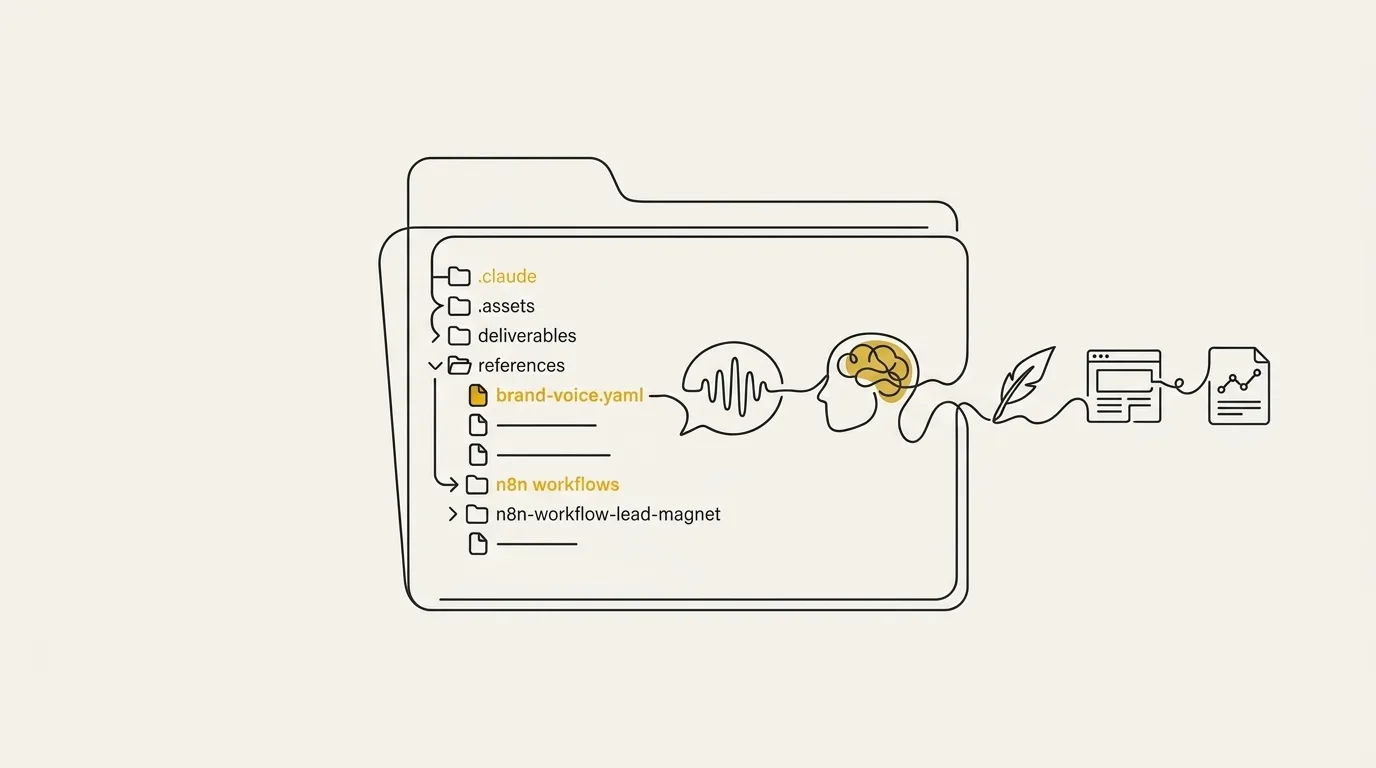
A brand context folder is a set of files the AI reads before it writes, so your voice, positioning and rules travel with every task instead of being re-briefed each time. Marcus-Aurelius Digital builds these folders from real Claude Code sessions, and the pattern is consistent: the folder becomes the source of truth for anything brand-related, from newsletters to proposals.
The answer is five files, ordered from foundational to refining. We start with positioning and the ideal customer profile, move through voice and visual identity, then finish with proof and the banned terms that keep drift out. Each one earns its place for a specific reason, and the sections below show what goes in each.
The Five Files, at a Glance
A brand context folder needs five files: positioning and ICP, a brand voice profile, visual identity tokens, proof and results, and banned terms and style rules. Each file covers one failure mode in AI output, so the folder as a whole keeps drafts on-message, on-voice, on-brand, believable, and clean.
- Positioning and ICP: controls who the copy talks to and which story every asset tells.
- Brand voice profile: controls tone, cadence, and how sentences sound.
- Visual identity tokens: controls colors, fonts, and layout choices so designs match the brand kit.
- Proof and results: controls which claims the copy can make, anchored in real wins and approved lines.
- Banned terms and style rules: controls the vocabulary and constructions that stay out of every draft.
Attach all five at the start of every session and the model works from your fundamentals instead of guessing. For the full guide to building them, see our brand context folder creator.
How We Decided What Earns a Place in the Folder
Every file in this list is judged against three tests, and each one is referenced again in the “Why it earns its place” and “mistake” parts of the entries below. A file that fails one of them is dropped, however standard it looks in a brand guide. For the hands-on workflow, see our companion piece on how to use Claude for branding, which covers the build while this page stays on content.
It has to change an output, not just describe the brand
A file earns its place only if the model writes, designs, or codes differently with it attached than without it. Claude is stateless by default, so whatever sits in the folder is the only brand context it has, and anything that merely describes the company without steering a decision is dead weight. I build the brand folder before any project starts for exactly this reason: context beats one-off prompts every time, because the rules travel with every job.
It has to be specific enough to test
Each file needs instructions you can check against a draft. A rule like “use a short, direct tone” can’t be verified, while a banned-word list, a hex value, or a named customer segment can be checked in seconds. If you can’t point at a sentence in the output and say whether the file was followed, the file is too vague to keep.
It has to survive a long session without drifting
Drift over longer projects is often a context-budget problem: old decisions, abandoned approaches, and noisy history bury the current signal, and the model starts contradicting itself or reintroducing fixed issues. So each file has to stay short, current, and self-contained enough to keep its weight at message fifty as well as message one. A top model can hold 50 files of brand context in one session, but five lean ones carry the signal further than fifty padded ones.
1. Positioning and Ideal Customer Profile
Overview
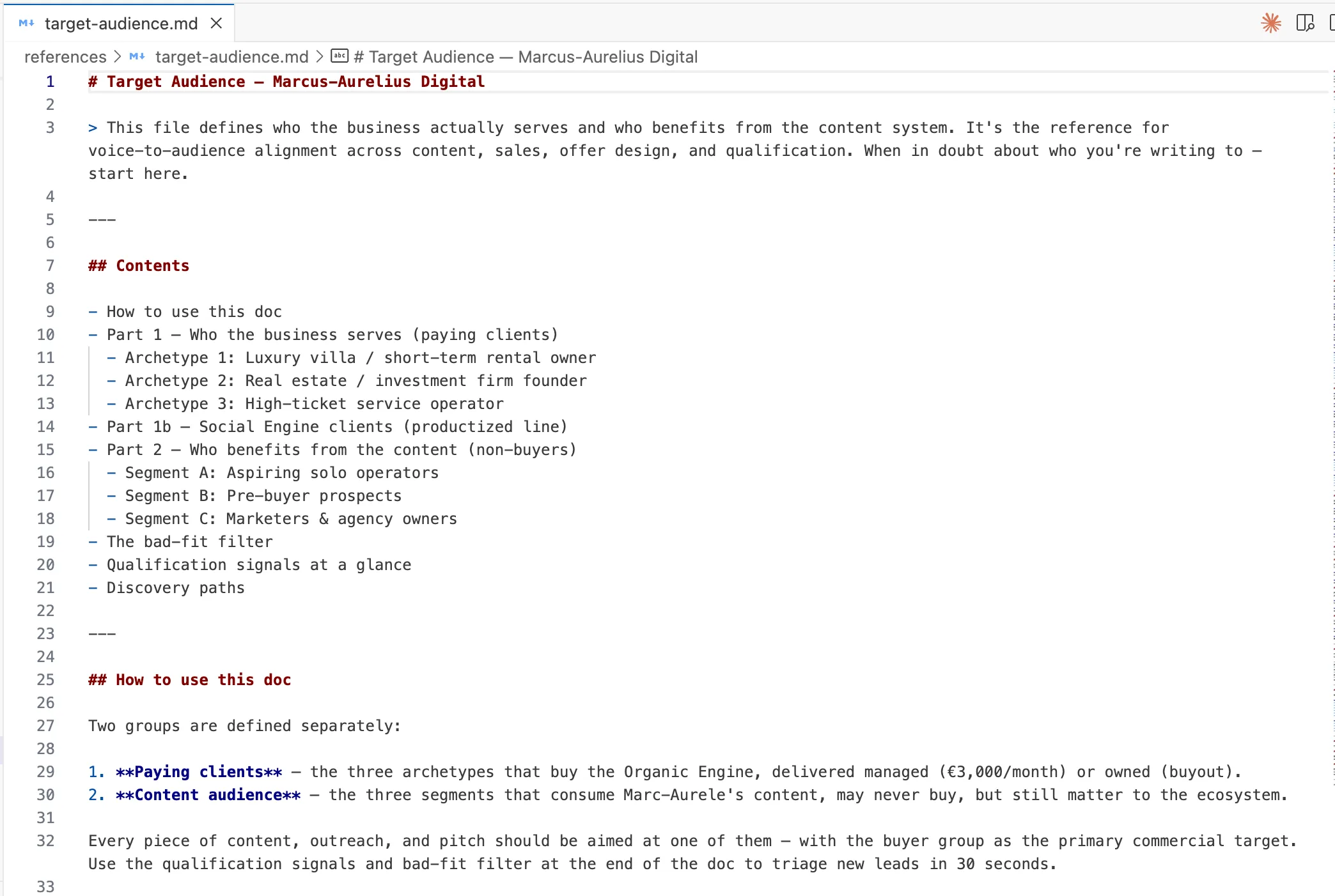
The positioning and ICP file is the strategy layer that tells AI who it is writing for and what makes the brand different. It sits first in the folder because every other file shapes how something is said, while this one decides who it is said to and which claims lead.
Think of it as the brief you would hand a new writer on day one. The audience is named, the offer is clear, and the order of the pitch is settled before a single draft exists.
What goes inside
Keep the file short and concrete. Three parts carry almost all of the value:
- A one-line positioning statement: what the product does, who it is for, and how it differs from the alternatives. One sentence, no stacked adjectives.
- An ICP written as a real person: 2 to 4 lines covering job title, company size, current situation, and the specific problem they are trying to solve.
- A messaging hierarchy: the order in which claims lead. Name the first claim, the second, and what only appears as supporting proof.
For example, a hypothetical ICP line might read: Head of Content at a 50-person software company, managing two writers, tired of drafts that need a full rewrite before anyone senior will approve them. That reads like someone you could pick out of a room, which is exactly what the model needs.
Build it from writing you already have. Landing pages and sales emails hold the real description of your audience and offer, so pull the wording from there. If you want a faster start, a short outline of audience and offer is enough to brief the next session.
Why it earns its place
Without this file, copy can read well and still aim at a generic professional. The grammar is clean, the structure is sound, and nothing in it speaks to the person who actually buys.
With it, every output starts from the same reader and the same lead claim. The model stops guessing which pain point to open with, and the brand stops sounding like a category summary. In my experience, this is the file that turns decent drafts into relevant ones.
The mistake that kills it
The classic failure is an aspirational ICP: visionaries who want to change the world, leaders who value innovation. The model cannot act on a description like that, because no single sentence in a draft would change based on it.
Test every line by asking whether a writer could pick a different headline because of it. If the answer is no, swap it for a title, a team size, and a problem the person would say out loud. Then the file does its job, and the model has something real to aim at.
2. The Brand Voice Profile
Overview
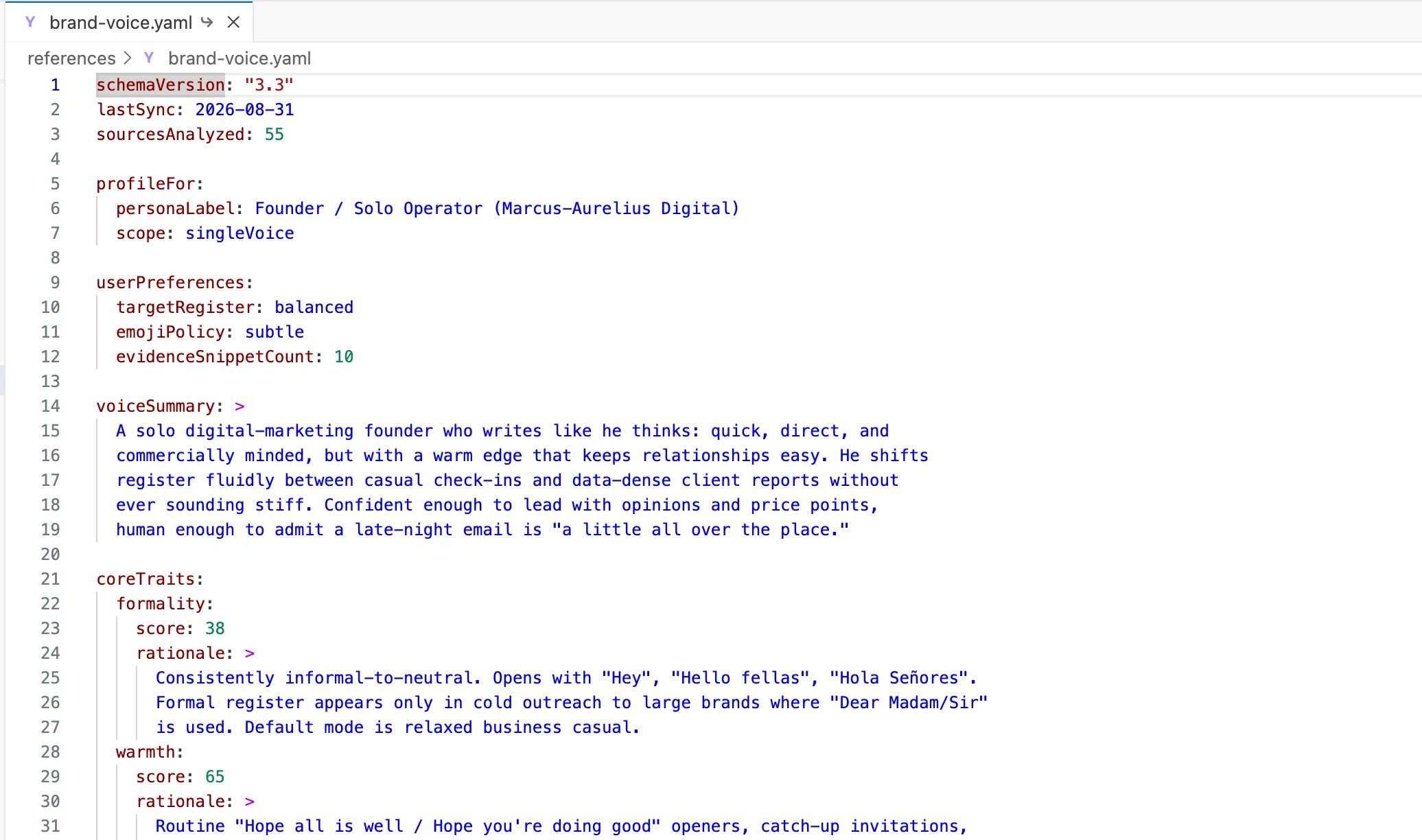
The brand voice profile is the file that changes written output more than any other in the folder. It tells AI how the brand sounds at the level of sentences, openers, punctuation and attitude, so a draft reads like a person on your team wrote it.
Positioning says what to claim. The voice file says how to say it, and that is where generic copy usually gets caught.
What goes inside
Start with three to five tone dimensions, each with a dial and a say/don’t-say pair. A dial is a score out of 100, so brevity at 72 means short by default and longer only when the job needs it. The pair makes the dial testable.
For example, on directness: “Here’s the price and what it covers” goes in the say column, and “We’d love to explore how we might support you” goes in the don’t-say column. The model has a line it can check every draft against.
Then add sentence-level style rules, since these are what a reviewer can verify in seconds:
- Typical sentence and paragraph length, plus how often fragments are allowed.
- Punctuation habits, including characters that never appear.
- How often a sentence opens with So, But or And.
- Contractions, asides and how questions are used.
- Words to prefer and words to replace.
Finish with three to five real sample paragraphs, pasted from copy that performed well. Paste them as written, typos and all, and add a one-line note on what each one shows.
Why it earns its place
Models pattern-match concrete examples far better than they follow adjectives. A real paragraph carries structure, formality, rhythm and the way the writer pushes back, and a descriptor like friendly carries none of that. Example-driven guidance, copied from real high-performing artifacts, is the most reliable way to get the same behavior back.
The source of those examples matters too. Sent emails, support replies and chat transcripts show observable mechanics: how a message opens, how a call to action is phrased, how a refusal is handled. In our experience, that evidence is more reliable than a brand guide, because guides describe the voice a company wants and sent messages show the voice it uses.
This file also does the most work against sameness. Without it, the model falls back on its default register, which is why so much AI content sounds alike. If the voice starts sliding back toward that default after a few weeks, the causes and fixes are covered in our upcoming piece on brand voice drift causes and fixes.
The mistake that kills it
The mistake is describing tone in abstract adjectives such as professional but approachable. Every competitor claims those two words, so the model reads them as an instruction to write the average of the internet.
The fix is to swap each adjective for evidence. Turn professional into a sentence-length rule and a banned-word list, and turn approachable into a pasted reply where you greet a client the way you actually do. If a line in the file cannot be checked against a draft, it belongs in the trash.
3. Visual Identity Tokens (or DESIGN.md)
Overview
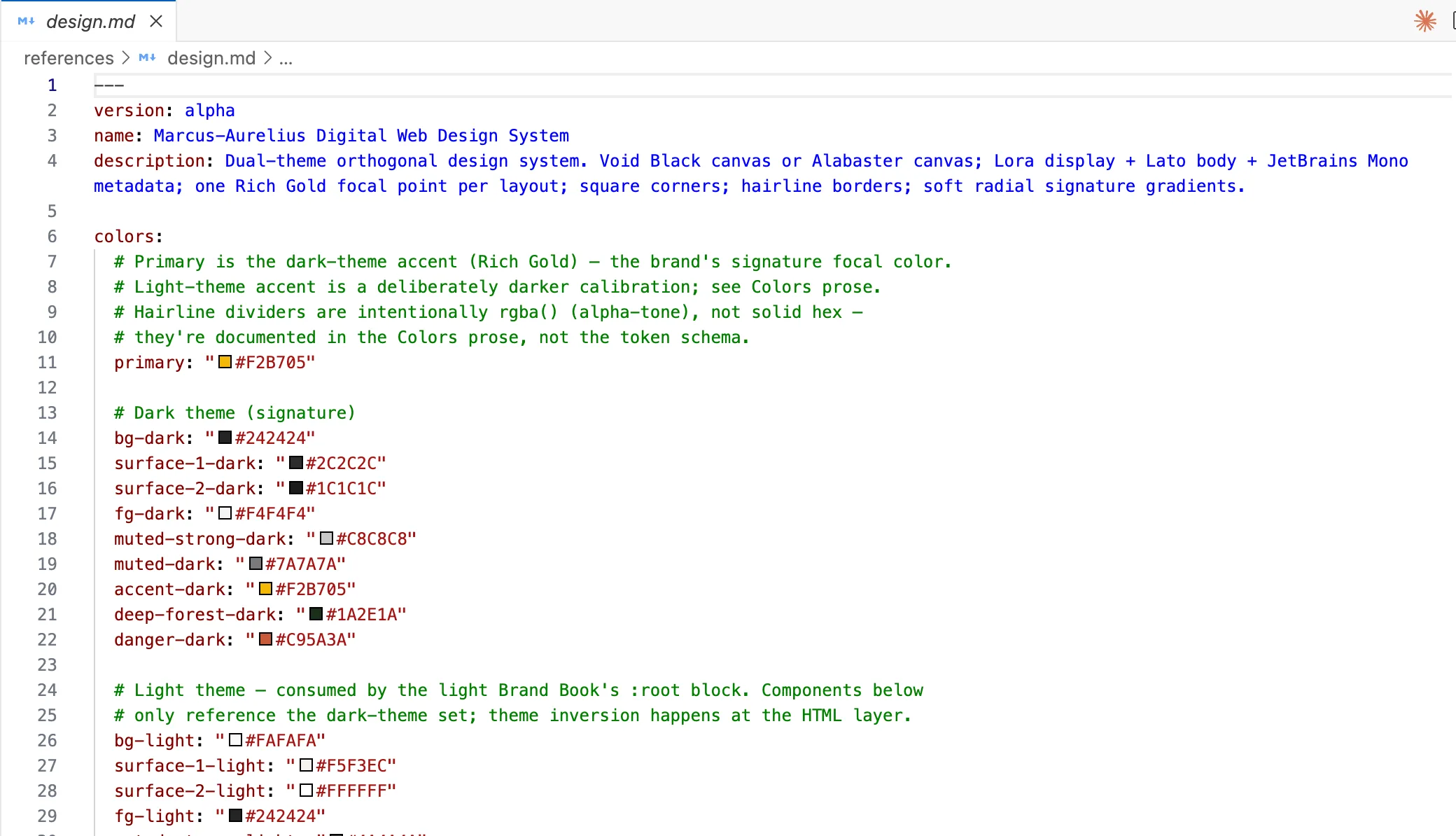
The visual identity file (often called the DESIGN.md file) is a set of design tokens: values and usage rules the model can read and apply, which makes it a different thing from a logo file. Claude reads the stored tokens and produces layouts, components and email templates from them, so a later landing page pulls the same type and palette you stored.
Think of it as your design system in a form Claude can read on every job. If your visual identity lives in a designer’s head or a PDF, this file moves it into the folder.
What goes inside
Keep the file short and literal. Four groups of tokens cover most brands, and each one carries its usage rule right beside the value.
- Color tokens: hex codes with named roles, such as primary for headers and muted for secondary copy.
- Typography tokens: font families, weights, and the size scale for headings and body.
- Spacing and radius: the spacing steps and corner radius, if your brand has a system for them.
- Logo and asset rules: plain-language rules for the logo, such as clear space, approved backgrounds and minimum size.
The usage rules matter as much as the values. A hex code with no role forces the model to guess where it goes, while a hex code labeled “accent, used for buttons and single-word emphasis only” gets applied the way you would apply it.
Why it earns its place
Anything AI touches that is visual needs this file, or it defaults to generic styling. Landing pages, component copy and email templates all inherit whatever the model decides on its own when no tokens exist, and that usually looks like every other site.
With the file in the folder, the same palette and type come back on every job. New files sit next to the folder, so the next session starts from the same kit instead of a blank page. That is why it passes the test of changing an output, since you can see the difference in the first render.
The mistake that kills it
The mistake is pasting a logo image and expecting the model to see it and work out the rules. An image gives Claude no hex codes, no weights and no sense of where each color belongs, so every design decision comes back as a guess.
Write the rules instead. State the hex values, name the fonts, and describe the logo in words: where it sits, how much space it needs, which backgrounds it can go on. Keep those rules in the same file as the tokens, and later layouts stay consistent.
4. Proof and Results
Overview
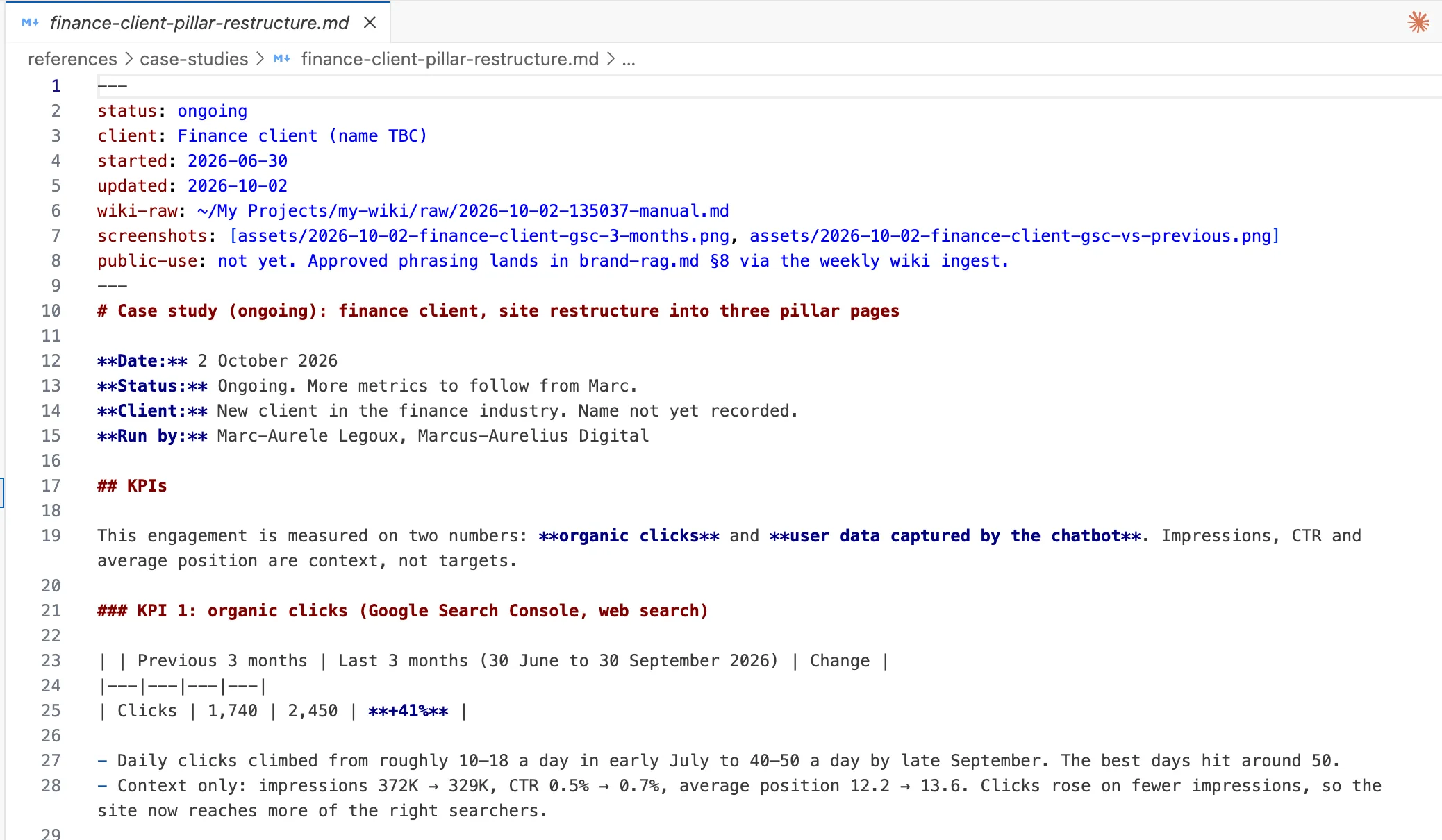
The proof and results file is the part of the folder that keeps every claim specific and credible. It holds the evidence behind what the brand says about itself, so the model writes from facts instead of inventing benefit language.
Think of it as the receipts drawer. Short, sourced, and ready to reuse.
What goes inside
Keep every item short and sourced. A model reuses a clean fact far better than a long story.
- Real metrics and results: the actual figures you will stand behind, each with its source and timeframe.
- Approved case studies: short files that link back to the published page, such as a case studies index.
- Testimonials: quotes you have permission to use, with the name and role attached.
- Claims you will stand behind: a short list of statements the brand is happy to repeat in public.
- Performance context: conversion rates, traffic goals, and lead targets, so the model knows which outcome a piece of content is meant to move.
That last item is the angle most folders skip. Brand documents tell the model how to sound, while performance context tells it what the piece is for. It is a single-source observation from the field, so treat it as a useful addition to try, not a rule.
Why it earns its place
Without proof, the model fills the gap with vague benefit language: better results, stronger growth, a smoother process. With a proof file in the folder, it cites real numbers and names real outcomes, and the copy gets harder to confuse with anyone else’s.
It also passes the test from earlier in this list. A figure either appears in the draft or it does not, so you can check the file’s effect in seconds.
The mistake that kills it
Leaving the file empty is the one that hurts. The model still has to write something credible, so it makes up the credibility with fluff, and that fluff reads as generic in a way a reader spots instantly.
The fix is small. Start with three sourced results and one approved case study, then add to the file as new proof comes in. An old figure with no source is worse than a gap, so cut anything you cannot back up.
5. Banned Terms and Style Rules
Overview
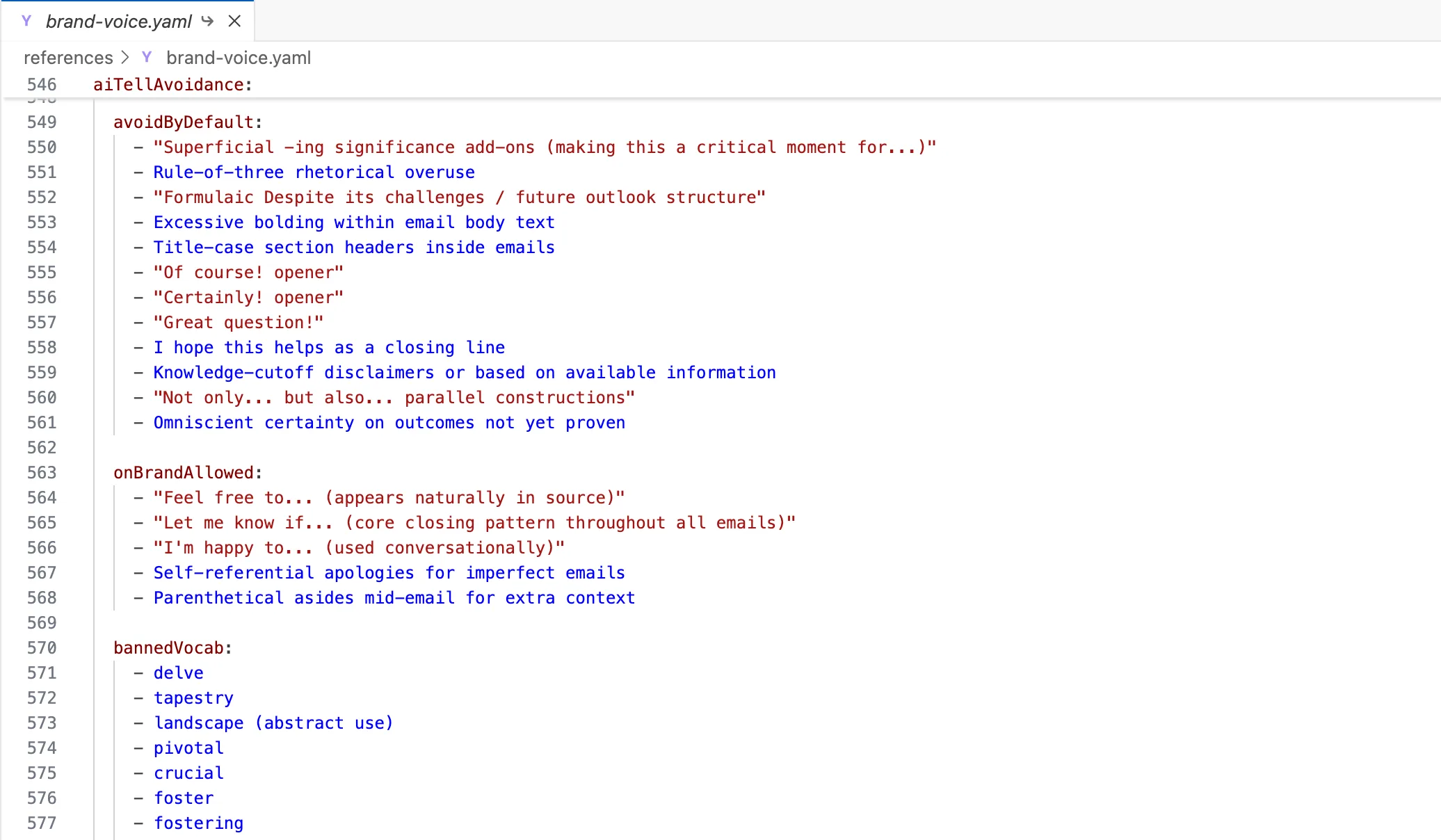
The banned terms and style rules file is the guardrail layer of the folder: it strips AI tells out of every draft and locks house style in place. Where the voice profile describes how the brand sounds, this file lists the exact words, punctuation habits and constructions that never appear in its writing.
It is the shortest file in the folder and the easiest to test. Either a banned word shows up in the draft or it doesn’t.
What goes inside
The file holds three blocks, and each one is checkable line by line.
- Banned vocabulary: the words the brand never uses, such as leverage, robust, seamless, holistic and delve, plus filler openers like “In today’s digital landscape”.
- Preferred substitutions: a swap beside every banned word, so the model has something to write instead. Leverage becomes use, robust becomes solid, touch base becomes quick catch-up.
- Structural rules: punctuation, formatting and framing limits. For example, zero em dashes, zero semicolons, a cap on bold phrases, and a ban on “not X, but Y” contrasts.
Write each rule as something the model can verify. “Zero em dashes” is executable, while “keep punctuation light” is a suggestion. Put the substitution in the same line as the ban, because a bare ban leaves the model to improvise a replacement, and the improvisation is often another tell.
Why it earns its place
This file is what stops output sounding like AI, which is the whole point of the folder. Positioning gives the model the right message and voice gives it the right rhythm, but the models still reach for the same stock phrases unless something names them and rules them out.
It also gives your review step a fast pass. Scan the draft against the list before the copy leaves the session, and any hit is an objective fix, with no debate about taste. For a brand that publishes at volume, that consistency across every piece is where the file pays for itself.
The mistake that kills it
The list goes stale. A rule file that no longer matches the brand does active harm: it blocks words the brand now uses, misses the new tells the model picked up, and gives you false confidence that a draft has been checked.
Keep it current. Each time you catch a recurring phrase in a draft, add it with its swap, and drop any rule the brand has outgrown. Then point Claude at the folder again so the next session loads the updated version.
The Five Files Compared
The five files in the brand context folder each control a different part of AI output, from strategy and audience to visual layout and credibility. The table below puts them side by side so you can scan the differences in one pass, in the same order as the entries above.
Each row pairs a file with the single mistake that most often weakens it. The voice and visual rows cover how the brand reads and looks, while the other three cover who it speaks to, what it can prove, and what it never says.
| File | What it controls | What goes inside (short) | The mistake to avoid |
|---|---|---|---|
| 1. Positioning and ICP | Strategy and audience | Positioning line, ICP, messaging hierarchy | Aspirational ICP |
| 2. Brand voice profile | Written output | Tone dials, we say/we don't, sample paragraphs | Abstract adjectives |
| 3. Visual identity tokens | Design and layout | Color, type, spacing, logo rules | Pasting a logo, no rules |
| 4. Proof and results | Credibility | Metrics, case studies, performance context | Leaving it empty |
| 5. Banned terms and style rules | Removing AI tells | Banned words, substitutions, structure rules | Letting it go stale |
How to Structure the Folder and Put It to Work
Keep it as plain Markdown files
Store every file in the folder as plain Markdown, because Markdown stays readable to you, to Claude Code and to any agent that opens it later. You can open a file, spot a stale claim or a banned term that slipped through, and fix it in a minute. No export step, no locked editor.
That inspectability matters more than it sounds. A brand folder gets corrected every few weeks as voice rules sharpen and new proof comes in, so the format has to make editing the easy part.
One small root file plus a file per area
Start with a small, stable root file that the AI reads at the start of every session, then give each area its own smaller file: positioning, voice, visual tokens, proof, and banned terms. In my experience this holds up better than one giant document, since a short root file keeps the core rules in view and the per-area files carry the detail without drowning it. The pattern also reduces drift across long sessions.
If you run automated pipelines, you can also compile the files into a single source-of-truth document so every channel pulls the same guidelines without manual re-referencing. Keep the separate files as the editable originals and treat the compiled version as an output. Agencies running several brands will want a different layout, which is where how to structure brand folders for multiple clients comes in.
Point your AI at it and generate on-brand assets
Open the folder in Claude Code (or attach it to your session) before you ask for anything, then request the asset: a blog draft, a landing page, a LinkedIn post, a layout. Every job reads the same files, so the voice and the colors in your visual tokens carry across content and design work. Review each draft against the folder, then fix the file if the draft is off, not just the draft.
To scaffold the folder quickly, use our Brand Context Folder creator for Claude. It builds the root file and the per-area files for you, so you create the system once and fill in your own source material. Get in touch if you’d like us to build and run it with you.
Frequently Asked Questions
How long should a brand context folder be?
A brand context folder should stay tight: five focused files that each change an output beat a long archive nobody maintains. Short files get read in full at the start of every session, so the rules stay in view instead of drifting out of a long context.
A first pass takes one sitting. Add detail only when a real job shows a gap, and cut anything that never changes a draft.
Do I need Claude Code to use a brand context folder?
Claude Code is optional. Any tool that accepts a system prompt or custom instructions can read the same folder, and in a plain chat you can attach the files at the start of the session.
Claude Code is a clean fit because the files live on disk and reload every session, but the folder and the rules stay identical on either surface.
What is the difference between a brand guide and a brand context folder?
A brand guide is written for humans, while a brand context folder is written for an AI to consume. The guide explains and inspires with mood, history and general principles. The folder states testable rules: exact phrases, token values, proof points and banned terms.
A guide can feed the folder, but the content needs rewriting into plain, specific instructions before a model can apply it.
How often should I update the folder?
Review the folder on a routine, such as monthly or after each batch of client work, so the rules never go stale. Each review is a chance to fix a claim that has changed, add a banned term that slipped through, and retire a rule that no longer applies.
Updates take minutes when the folder is plain Markdown, and every later asset inherits the fix.
Can I use one folder across different AI tools?
Yes, the same files port anywhere. Plain Markdown opens in any chat tool, coding agent or automation that accepts attached files or custom instructions, so you maintain one source of truth instead of one copy per tool.
Should brand voice come from my brand guide or my real emails?
Favor real customer emails over the brand guide. Sent emails show how you actually write: sentence length, openers, punctuation and the words you reach for without thinking. Guides tend to describe an aspirational voice that few people on the team really use.
Pull a handful of real messages into the voice file as examples, then use the guide only to fill gaps.